
MIT packages and an AGPL Studio core
Contentrain's developer packages are MIT-licensed, the WordPress Bridge plugin is GPL-2.0-or-later, and Studio Community is AGPL-3.0. Separately licensed enterprise modules cover additional managed and organizational capabilities.
Git is the source of truth
Content lives in your repo as plain JSON and Markdown — every change is a commit, branch, and reviewable diff.
MIT packages
MIT packages provide the local developer stack
The core MIT packages cover the CLI, MCP server, JavaScript query SDK, shared rules, agent skills, and shared types. Together they provide a local, framework-agnostic path for modeling, validating, normalizing, and consuming content.
- CLI for init, validate, generate, scaffold, import, serve (with the Normalize review UI), and studio commands
- MCP for local and HTTP agent operations
- SDK, rules, skills, and types for runtime and agent quality
$ contentrain serve --stdio
◇ 22 bounded tools on the local provider
contentrain_scan contentrain_apply
contentrain_validate contentrain_submit
contentrain_content_save contentrain_merge
# the agent can only do what the tools allow
Astro and WordPress
MIT packages for Astro sites and WordPress moves
The query SDK ships an Astro content layer loader. Alongside it, MIT packages read a WordPress export into a Contentrain store, emit a complete Astro project, provide copy-in Astro components, and check a built site for SEO, link, and asset problems.
- @contentrain/query/astro content loader
- @contentrain/wp-import, @contentrain/emitter-astro, @contentrain/astro-kit
- @contentrain/verify gates for a built site
import { defineCollection } from 'astro:content'
import { contentrainLoader } from '@contentrain/query/astro'
export const collections = {
posts: defineCollection({
loader: contentrainLoader({ model: 'blog-post', locale: 'en' }),
}),
}
# pages: getCollection('posts')
WordPress plugin
Contentrain Bridge is a free WordPress plugin
Bridge exports a WordPress site's content layer as a validated Contentrain store, as a ZIP or to a branch in your own GitHub repository. It is GPL-2.0-or-later, needs no account, and sends no telemetry.
- Posts, pages, custom fields, and interface text
- Delivery to your own GitHub repository
- Source on GitHub under GPL-2.0-or-later
# free WordPress plugin, GPL-2.0-or-later
✓ Posts and pages
✓ Custom fields as real collections
✓ Interface text
✓ Local media copied into media/
→ ZIP, or a branch in your own GitHub repo
Studio
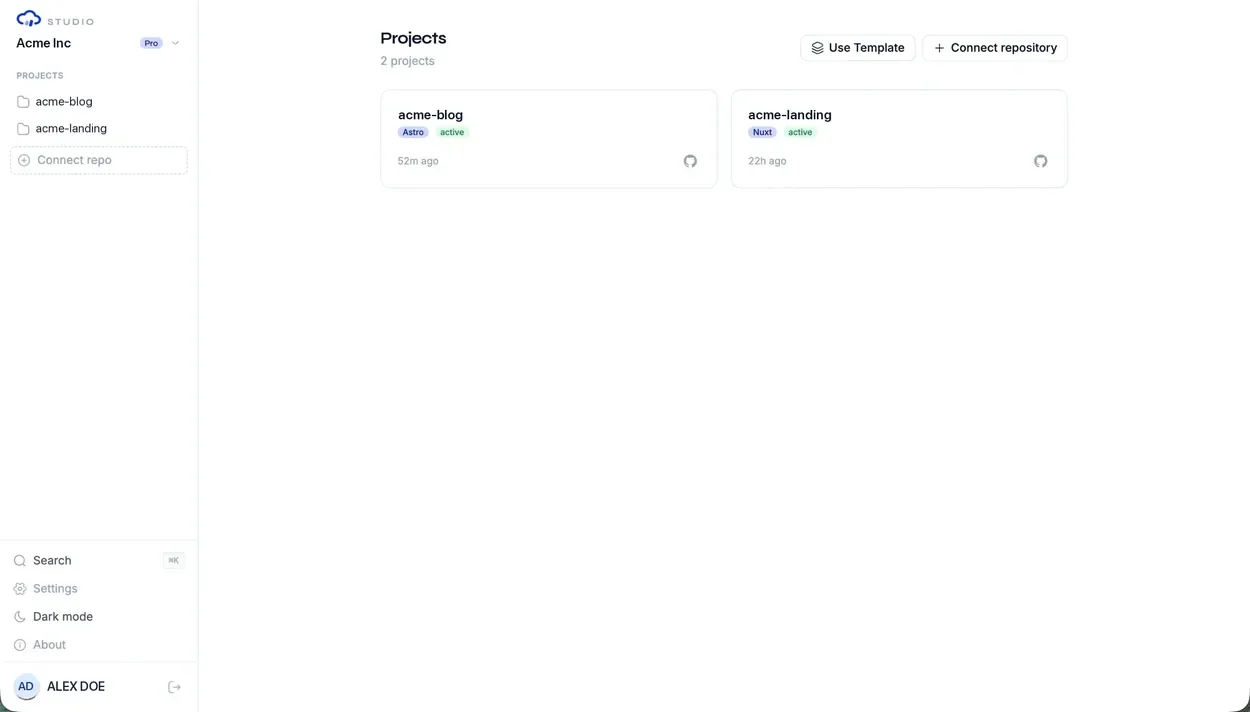
Studio Community adds an AGPL team workspace
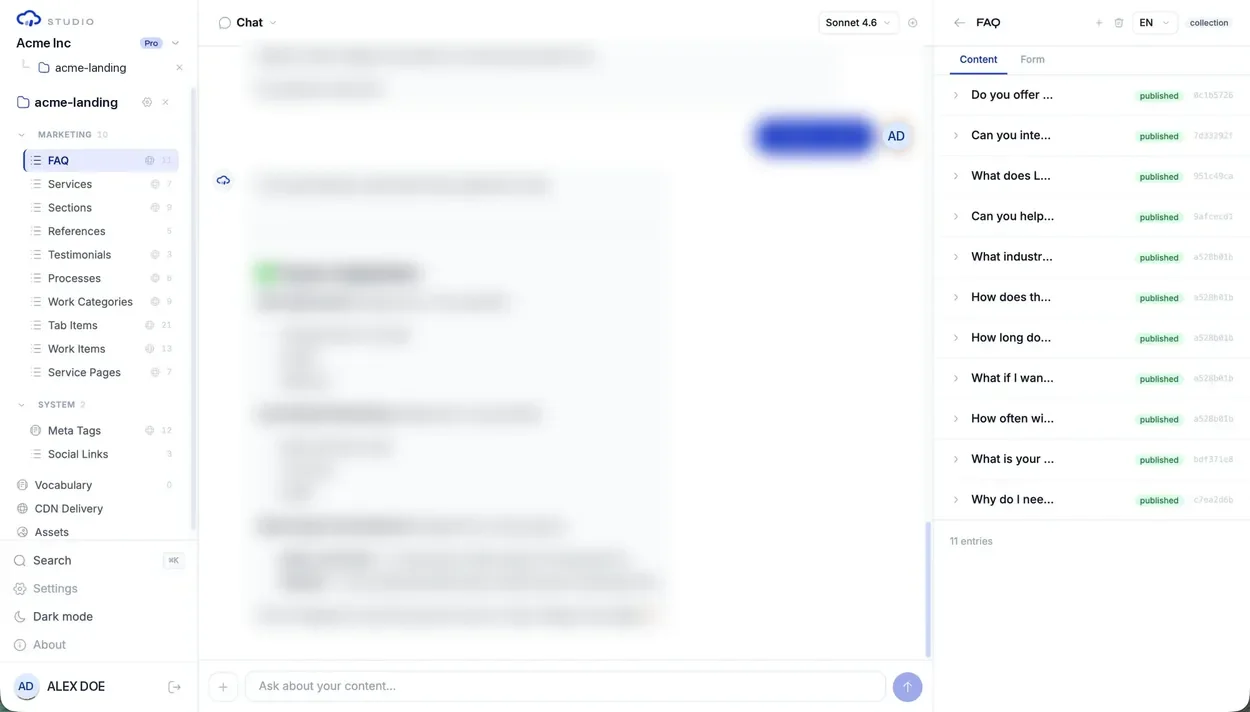
Studio Community is the self-managed AGPL-3.0 application for Git-backed workspaces, projects, structured editing, chat-assisted operations, and review. Features marked as enterprise remain disabled unless a separately licensed edition provides them.
- Nuxt application with provider-backed server APIs
- Workspace, project, content, role, and review surfaces
- Clear edition checks for separately licensed capabilities
Standards
Shared standards keep both sides aligned
The packages and Studio share the same vocabulary for model kinds, field types, validation, and content files. Moving from local tools to Studio does not require moving content into a different source of truth.
- Shared types and schema concepts
- Rules-based validation and content quality
- Generated query access for application runtimes
Adoption path
Start locally and add Studio when the workflow becomes shared
Run init, normalize existing strings, validate models, generate query access, and ship from Git. Add Studio when editors or reviewers need a shared interface, permissions, branch review, or eligible managed operations.
- Local-first development with MIT packages
- Team editing and review through Studio
- Managed and Enterprise capabilities where licensed and configured
$ npx contentrain init
✓ Detected stack: nuxt
✓ Created .contentrain/
✓ MCP server configured for your IDE
→ Git is now your content source of truth
# next: ask your agent to run contentrain_scan
Portability
Plain files and Git history preserve portability
Content lives as files and code can import generated clients. That makes Contentrain easier to adopt in AI-built apps because the system is visible to both developers and agents.
- Plain JSON and Markdown content state
- Git history as the audit log
- Platform-independent runtime consumption
Self-host anywhere
Run Studio on your own infrastructure with the AGPL core. CDN delivery, media and webhooks need the enterprise edition.
Common questions
Which Contentrain packages use the MIT license?
All the developer packages: the CLI, MCP server, query SDK, rules, agent skills, and types, plus the WordPress import, Astro emitter, Astro components kit, site verification, and typed-decision (decide) packages. They can be used independently of Studio. The WordPress Bridge plugin is GPL-2.0-or-later.
Can teams use only the MIT packages?
Yes. Developers and technical teams can run local workflows without Studio. Studio becomes useful when structured editing, team review, roles, or managed operations are recurring needs.
What does AGPL-3.0 apply to?
Studio Community is the AGPL-3.0 self-managed edition. Separately licensed enterprise modules and managed services have their own terms and capability requirements.
Next paths
Continue through the content system
Contentrain for Astro
Load Contentrain content into Astro content collections, with Studio for editors.
MCP server docs
Tools, transports, providers and setup for the open-source MCP server.
Developer implementation playbook
Install, model, validate, generate, and ship runtime access.
Studio adoption playbook
Add Studio for team review and roles, with media, delivery, and enterprise options where enabled.
AI agent governance playbook
Bound MCP tools, rules, review, and validation for coding agents.
Start local. Scale to Studio.
Build a governed content layer before content becomes product debt.
Start locally with the MIT packages. Add Studio when teams need review, roles, structured editing, managed delivery, or deployment control.