
Bounded AI operations with Git as the audit layer
Contentrain security is built around bounded agent operations, Git auditability, branch review, role-scoped Studio access, provider boundaries, encrypted keys, and self-managed deployment paths.
Agent safety
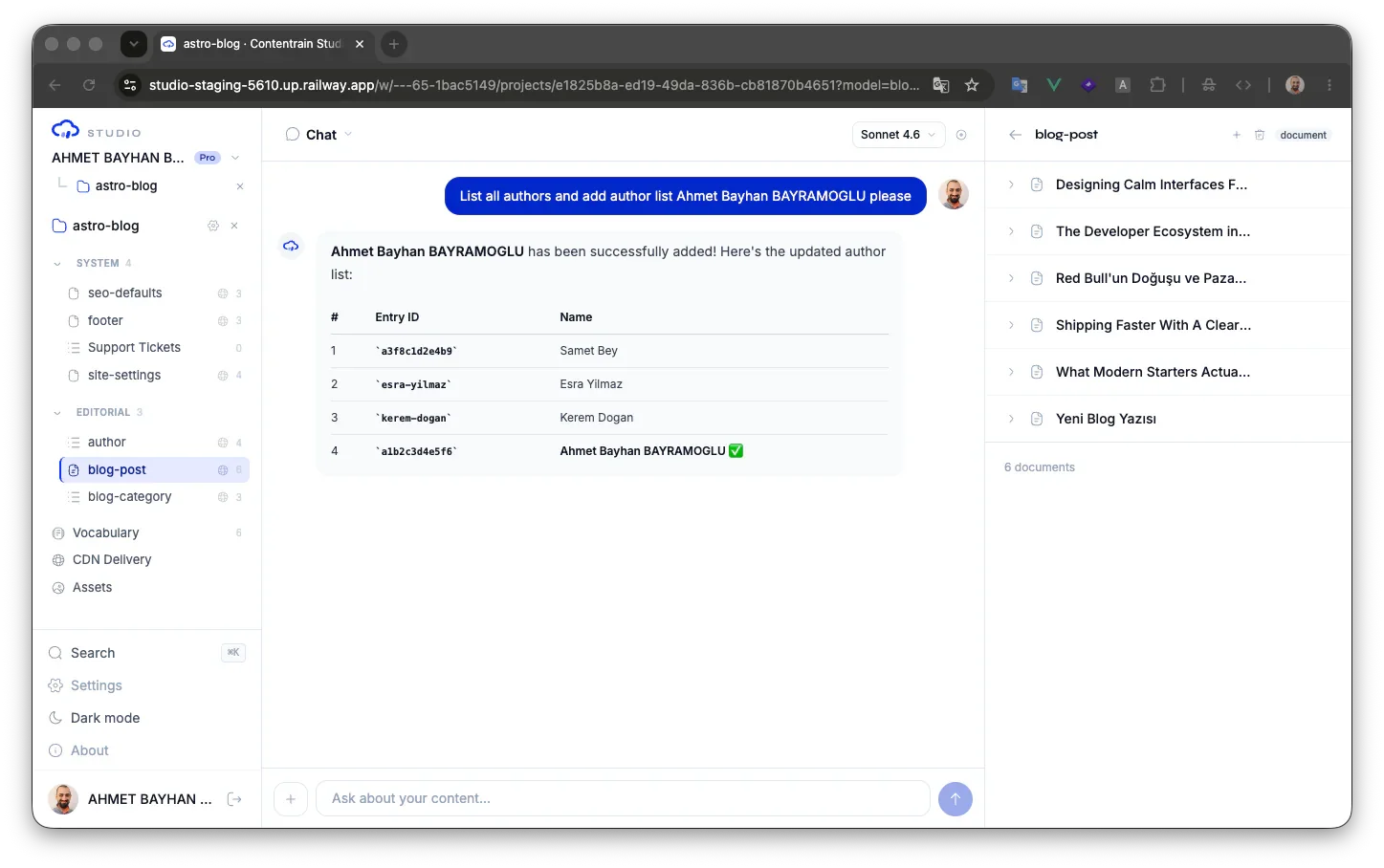
Agents operate through bounded tools
Contentrain does not ask agents to freely mutate a repository. MCP tools define the allowed operations for status, content save, validation, scanning, normalize, branches, and bulk changes.
- Deterministic tool boundaries
- Validation before merge or delivery
- Normalize split into extract and reuse phases
$ contentrain serve
◇ 19 bounded tools available
contentrain_scan contentrain_apply
contentrain_validate contentrain_submit
contentrain_content_save contentrain_merge
# the agent can only do what the tools allow
Audit
Git is the audit layer
Content changes can be represented as commits, branches, and diffs. That means teams can inspect who changed content, what changed, and whether validation passed before production delivery.
- Branch-based review
- Diff views for content changes
- Commit history for model and content files
Git is the source of truth
Content lives in your repo as plain JSON and Markdown — every change is a commit, branch, and reviewable diff.
Access
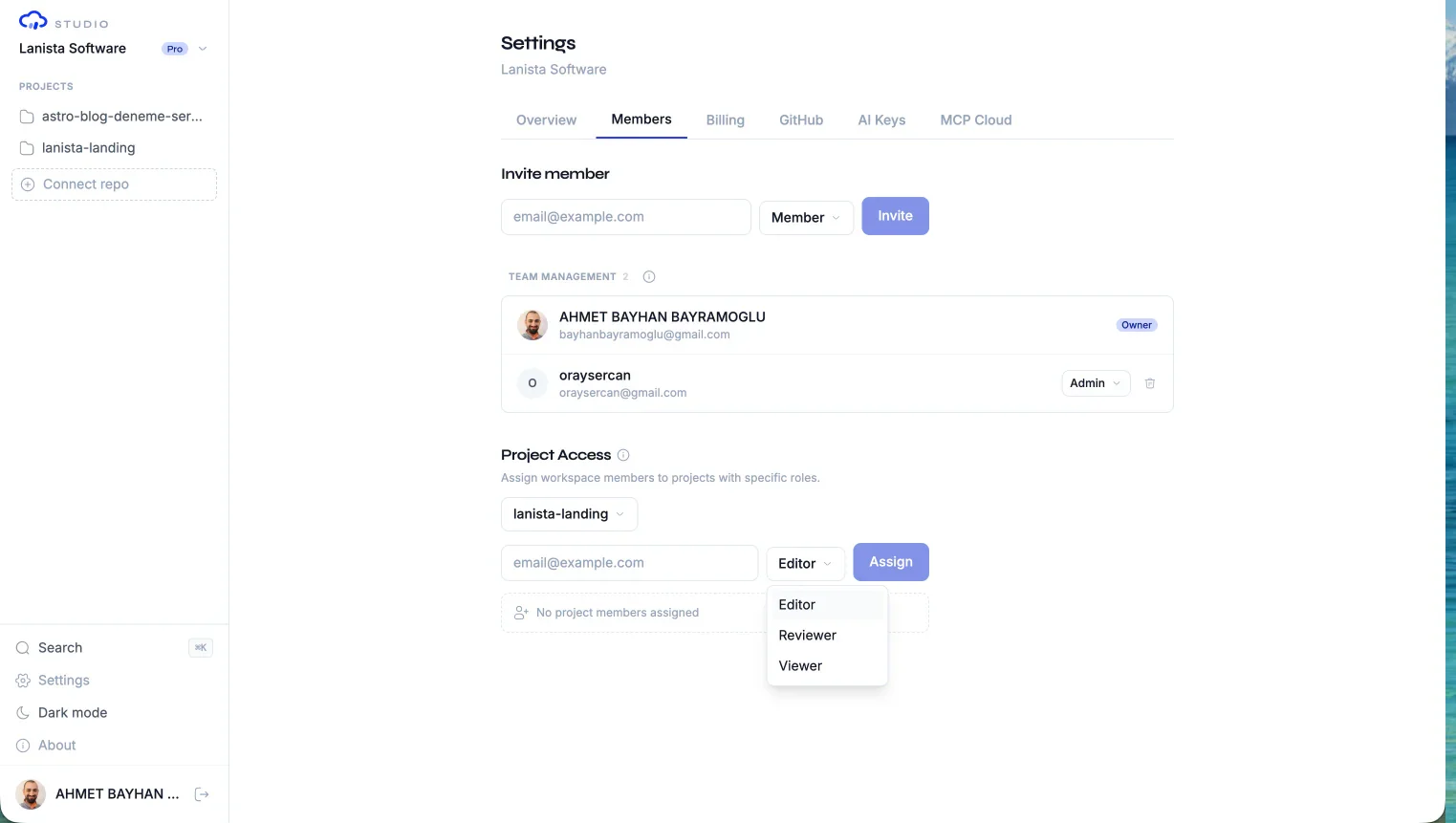
Studio adds role and model-level controls
Studio builds workspace and project permission context before exposing content operations. Workspace owners and admins manage membership; project editors, reviewers, and viewers receive role-specific access. Model-scoped restrictions are available on eligible plans.
- Workspace owner, admin, and member surfaces
- Project editor, reviewer, and viewer roles
- Specific model access constraints
Keys
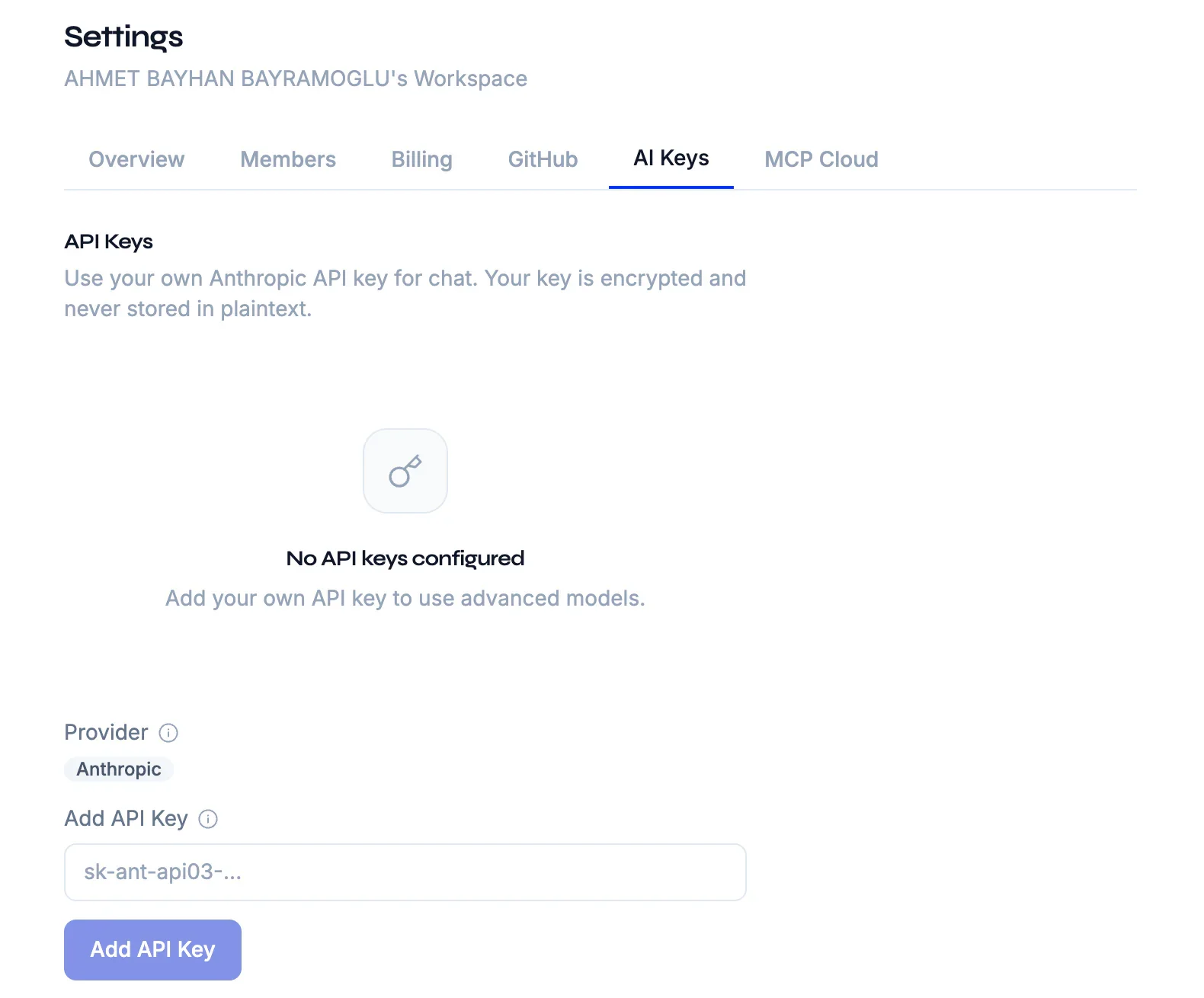
Secrets and provider boundaries stay explicit
Studio includes AI key management, encrypted key tests, provider abstractions, GitHub integration routes, and usage controls. Teams can choose managed agent paths or BYOA depending on their governance needs.
- Workspace AI key management
- Provider-specific repository operations
- Usage and overage controls
Delivery
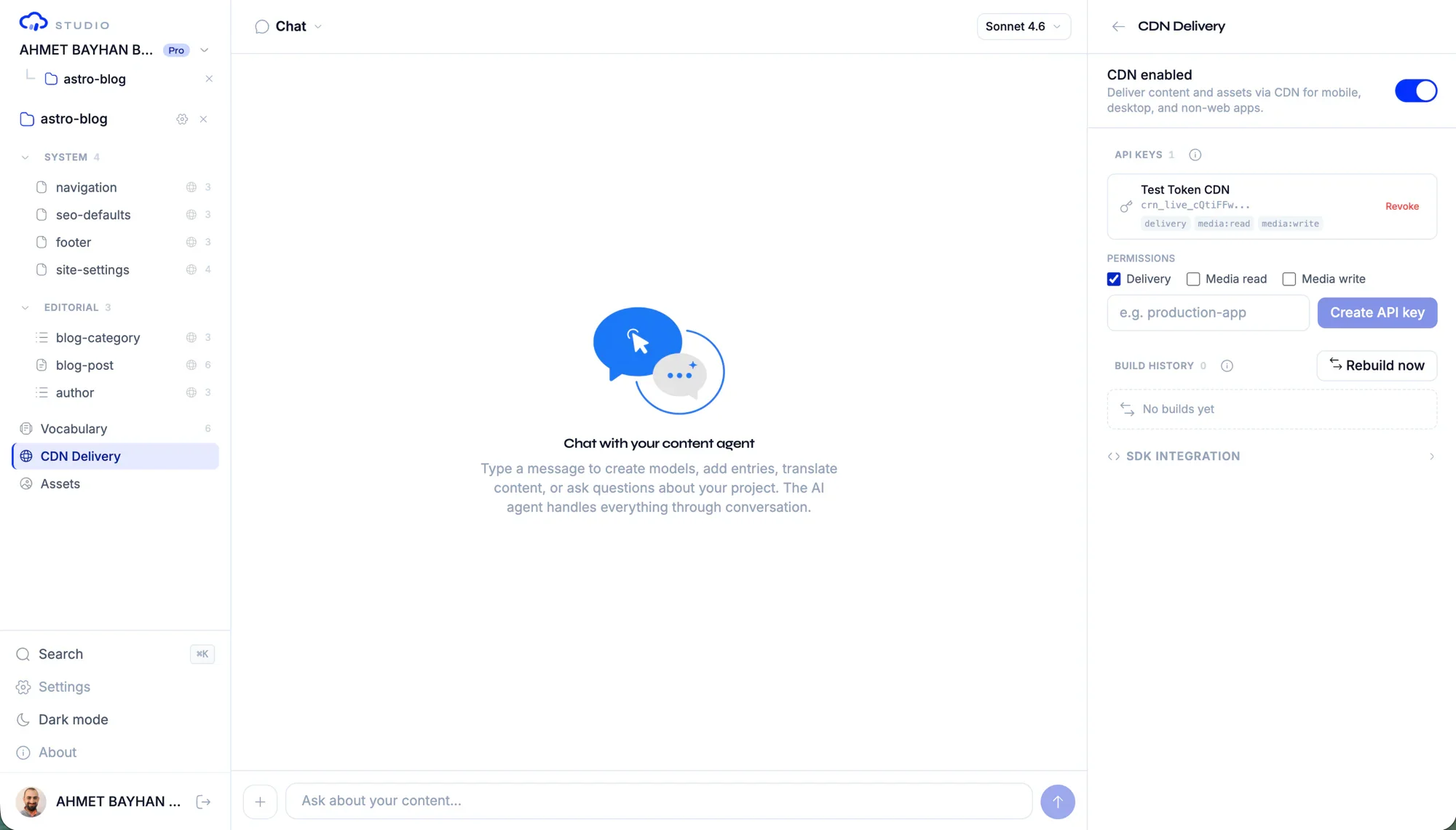
Delivery surfaces are governed too
Where enabled, CDN, forms, webhooks, media, and Conversation API operations remain subject to the same project, provider, plan, and deployment boundaries as structured content work.
- CDN routes and manifest delivery
- Webhook configuration and dispatch
- Form submissions and media processing
Self-hosting
Self-managed deployment is part of the security story
For infrastructure-sensitive teams, the value is not only features. It is the ability to keep governance close to the systems, providers, and policies the organization already controls.
- AGPL community core
- Enterprise licensing path
- Controlled deployment and operational ownership
$ docker compose up -d
✓ studio running :3000
✓ database running :54321
✓ cdn running :8787
→ Studio on your own infrastructure
# AGPL core · enterprise edition optional
Disclosure
Responsible vulnerability disclosure
If you find a security issue in Contentrain's packages, Studio, or MCP Connector, we want to know. Email security@contentrain.io with details. We acknowledge within 2 business days, give a status update within 7 days, and target a fix within 30 days for confirmed issues. We ask for 90 days before public disclosure so we can ship the fix first.
- Email security@contentrain.io — no bug bounty portal required
- 2-business-day acknowledgement, 7-day status update, 30-day fix target
- 90-day coordinated disclosure window before public release
- Researchers acting in good faith are not subject to legal action
Common questions
Does Contentrain let agents edit anything in the repo?
No. The intended workflow is through bounded MCP and Studio tools, with validation, review branches, and explicit provider capabilities.
How does Studio restrict users?
Studio builds workspace, project, role, and model-level permission context before exposing content operations. Review and branch flows add another control layer.
Can sensitive teams self-host?
Yes. The Studio architecture supports self-managed deployment paths and enterprise licensing for teams that need more infrastructure control.
How do I report a security vulnerability?
Email security@contentrain.io with a description of the issue, reproduction steps, and potential impact. We acknowledge all reports within 2 business days, provide a status update within 7 days, and aim to ship a fix within 30 days for confirmed issues. We do not operate a public bug bounty program at this time, but we recognize researchers who report valid vulnerabilities with their consent.
Do you have a responsible disclosure policy?
Yes. We ask that you give us reasonable time to investigate and fix an issue before public disclosure (90 days is the standard). Please do not access, modify, or delete data that does not belong to you during research. We commit to not taking legal action against researchers acting in good faith under these guidelines.
Next paths
Continue through the content system
Start local. Scale to Studio.
Build a governed content layer before content becomes product debt.
Start locally with the MIT packages. Add Studio when teams need review, roles, structured editing, managed delivery, or deployment control.