
Start with MCP, CLI, SDK, rules, and skills
Developers get a local-first content stack: CLI setup, MCP tools, rules, skills, validation, generated SDK access, and a clear path into Studio when teams need review.
▸ "Add a pricing FAQ entry"
→ contentrain_content_save
model: faq locale: en
→ contentrain_validate
✓ Saved to branch cr/content/faq
# agent proposes · you approve in Git
CLI
Initialize a content system inside the repository
The CLI creates a .contentrain workspace where models, content, metadata, vocabulary, and context live beside the application. That gives AI coding agents and developers a source of truth they can read before they change copy.
- contentrain init, status, doctor, and validate for project setup
- Model kinds for singletons, collections, documents, and dictionaries
- Plain JSON and Markdown instead of hidden CMS state
$ contentrain status
Configuration
Stack: nuxt
Locales: en (default)
Domains: marketing, ui, system
Workflow: auto-merge
Models (9)
model kind entries
home-page singleton 1
landing-pages collection 24
legal-pages document 2
pricing-plans collection 4
✓ Source of truth: Git
MCP
Use MCP as the agent operating layer
The MCP package defines 24 bounded tools: 19 core tools for project, model, content, validation, workflow, Normalize, and bulk operations, plus 5 media tools that appear only when the provider exposes a media capability. Local stdio and HTTP transports give agents a repeatable interface instead of repository-specific write logic.
- 19 core tools for project and content workflows
- 5 conditional media tools on media-capable providers
- Local stdio and HTTP transports with provider capability gates
$ contentrain serve --mcpHttp
◇ MCP server ready on :4000/mcp
19 deterministic tools registered
contentrain_content_save
contentrain_validate
contentrain_scan
contentrain_merge
# agent proposes · tools enforce · git reviews
Normalize
Normalize hardcoded strings before they become debt
The normalize workflow scans source files, extracts approved strings into content models, then patches code to reuse generated content access. It turns the most common AI-built app problem into a reviewable workflow.
- Scan candidates and source graphs
- Extract to Contentrain content without touching source first
- Reuse generated content access after review
$ contentrain scan ./src
Scanning source for hardcoded strings…
✓ Scanned 47 files
123 candidate strings found
marketing/hero 18
ui/navigation 24
ui/buttons 31
→ extracted to branch cr/normalize/marketing
✓ Ready for review in Git
SDK
Generate runtime access for modern frameworks
The JavaScript SDK generates query clients that Nuxt, Next, Astro, SvelteKit, Vite, Expo, and Node apps can consume without a CMS runtime dependency. The app imports content through stable typed APIs instead of parsing files by hand.
- Generated #contentrain style imports
- Locale-aware query access
- Works with static and server-rendered builds
Rules and skills
Ship shared rules and skills with the content system
The rules and skills packages make content operations legible to agents. They define how to validate schemas, normalize strings, manage translations, review content, and avoid unsafe edits.
- 15 agent skills for init, content, model, validate, Normalize, translation, review, and framework workflows
- Quality rules for SEO, i18n, accessibility, schema, media, and security
- Context bridge that explains the project to the agent
# Agent operating rules
- Save content through MCP tools only
- Validate against the schema before submit
- Open a review branch per change
- Never edit generated files
# shared by every agent on the repo
Studio path
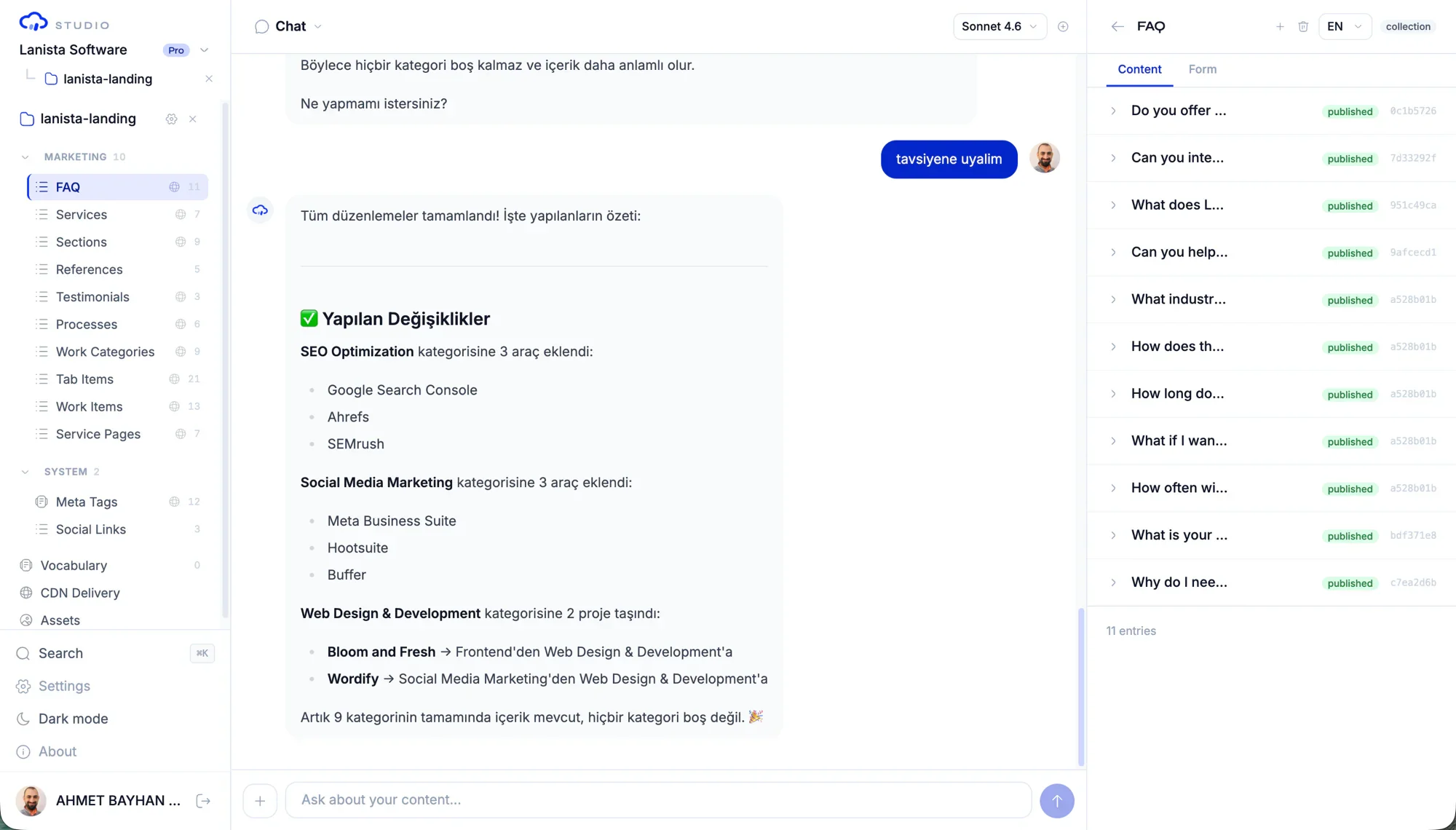
Move to Studio when collaboration becomes the bottleneck
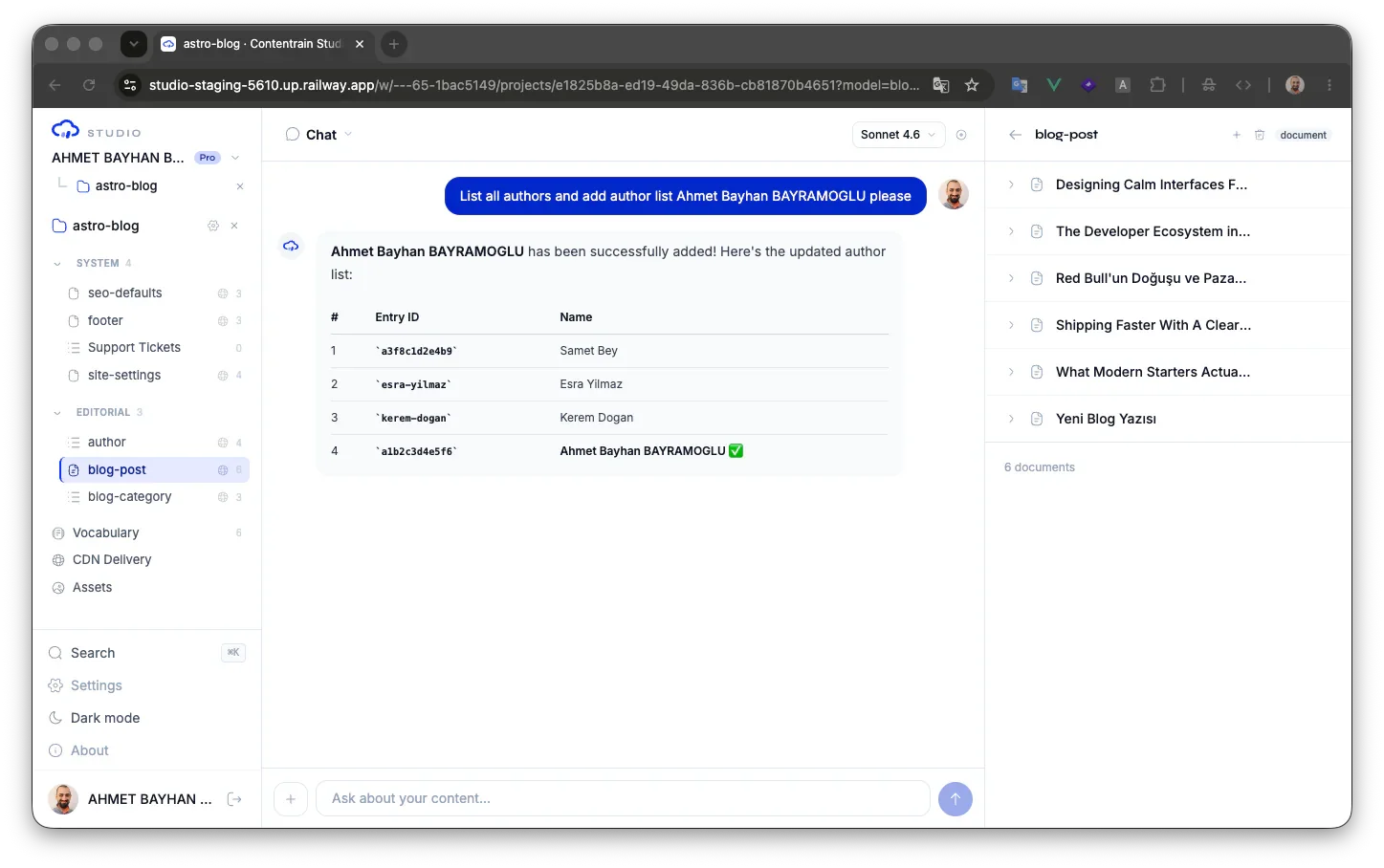
When non-developers need structured editing, roles, and review, the same content contract can move into Studio. Media, CDN delivery, forms, APIs, and usage controls are available according to the selected edition, plan, and deployment.
- Start local with MIT packages
- Keep Git as the content audit layer
- Add Studio for team operations and delivery
Common questions
Do developers need Studio to start?
No. The MIT packages let you initialize, validate, normalize, generate, and serve local workflows before a Studio account exists.
What is the first command for a new app?
npx contentrain init is the default entry point. From there, run validate, generate a query client, and use normalize when the app already has copy in source files.
Why is MCP important here?
MCP gives AI coding agents a bounded, repeatable interface for content operations. That is safer than asking an agent to edit arbitrary JSON and source files from scratch.
Next paths
Continue through the content system
Developer implementation playbook
Install, model, validate, generate, and ship runtime access.
AI agent governance playbook
Bound MCP tools, rules, review, and validation for coding agents.
Normalize migration playbook
Move hardcoded UI copy into structured content safely.
Integrations
See agent, framework, provider, and deployment paths.
Start local. Scale to Studio.
Build a governed content layer before content becomes product debt.
Start locally with the MIT packages. Add Studio when teams need review, roles, structured editing, managed delivery, or deployment control.